Website Development

website development in Lagos

Website Security for Nigerian Businesses: 10 Things You Need to Protect Your Website

Your website is more than an online brochure. For many Nigerian businesses, it is where potential customers learn about your services, send enquiries, make purchases, book appointments, submit their information, or contact you through WhatsApp. That makes website security a business issue, not just a technical one. Imagine spending months building a professional website, getting it ranking on Google, running ads, and directing customers to it, only to discover one morning that the website has been hacked, redirected to a suspicious page, or completely taken offline. Unfortunately, website security is often something business owners think about after something goes wrong. It shouldn’t be. Whether you run a small business in Lagos, an e-commerce store, a professional service company, or a growing startup, protecting your website should be part of your digital strategy from day one. This is especially important for businesses using WordPress. WordPress itself has an active security team and regularly releases updates, but website owners still have responsibilities when it comes to plugins, themes, passwords, backups, hosting, and access control. In this guide, we’ll look at 10 practical things Nigerian businesses can do to protect their websites from common security threats. Why Website Security Matters for Nigerian Businesses A hacked website can cause much more damage than a few hours of downtime. Depending on the type of attack, your business could experience: For an e-commerce business, the consequences can be even more serious because the website may handle customer accounts, orders and other sensitive information. And there’s another issue many business owners overlook: your website is connected to your wider digital presence. If someone gains access to your website or hosting account, they may potentially interfere with email accounts, business information, files, databases or other connected services. Good security therefore isn’t about making your website impossible to attack. No website can realistically guarantee that. It’s about reducing vulnerabilities, limiting access, detecting problems early and having a reliable way to recover if something goes wrong. 10 Things You Need to Protect Your Business Website 1. Keep WordPress, Plugins and Themes Updated This is one of the simplest, and most frequently ignored, website security measures. If your website runs WordPress, you are using several pieces of software: These components can occasionally contain security vulnerabilities. Developers release updates to fix bugs, improve compatibility and address security issues. WordPress specifically recommends keeping WordPress itself, themes and plugins updated. Its documentation also recommends choosing themes and plugins that are actively maintained. What you should do Check your WordPress dashboard regularly for available updates. But don’t blindly install dozens of updates without a backup. A safer approach is: Backup → Update → Test → Monitor This is particularly important for business websites where a plugin update could affect your contact forms, WooCommerce checkout, page layouts or other functionality. If you don’t have time to maintain your website, professional website maintenance can help ensure updates and security checks don’t get forgotten. 2. Use Strong Passwords and Two-Factor Authentication Your website can have excellent hosting and security plugins, but if someone guesses your administrator password, those protections may not be enough. Avoid passwords such as: Instead, use long, unique passwords that aren’t reused across different services. And where possible, enable two-factor authentication (2FA). With 2FA, a password alone isn’t enough to access your account. An additional verification method is required. This is particularly important for: WordPress also recommends strong passwords and two-step authentication as additional protection for administrator accounts. Think of it this way: Your password is the key. 2FA is the second lock on the door. 3. Install an SSL Certificate and Use HTTPS Have you ever visited a website and seen a browser warning saying “Not Secure”? That’s a problem. Your website should use HTTPS, not plain HTTP. An SSL/TLS certificate encrypts information transferred between the visitor’s browser and your website. This is especially important for websites that collect information through contact forms, login pages, checkout pages or other forms. Google also recommends HTTPS because it improves user and site security, and browsers can flag HTTP pages as not secure. For Nigerian businesses, HTTPS is important because it: If your website still displays HTTP instead of HTTPS, speak with your hosting provider or web developer about installing and correctly configuring an SSL certificate. Don’t stop at installing the certificate, though. Your entire website should be properly configured to use HTTPS without mixed-content warnings or insecure resources. 4. Back Up Your Website Regularly Here’s a question every business owner should be able to answer: “If my website disappeared today, could I restore it?” If the answer is no, your website isn’t adequately protected. A backup gives you a way to recover your website after problems such as: A complete WordPress backup should account for both your website files and database. WordPress documentation specifically distinguishes these two components because backing up one does not necessarily mean the other has been backed up. A practical backup strategy For a business website, consider: Regular automated backups + an independent copy stored separately. And don’t simply assume that because your hosting company offers backups, you’re completely covered. You should know: Most importantly, test your backups. A backup you have never tested is not something you should blindly depend on during an emergency. 5. Be Careful With Plugins and Themes One of the biggest advantages of WordPress is its enormous ecosystem of plugins and themes. You can add almost any functionality you need. But that flexibility also creates responsibility. Installing dozens of unnecessary plugins increases the number of components that need to be maintained and secured. Even worse is downloading “premium” plugins or themes from suspicious websites simply because they’re available for free. This is commonly referred to as nulled software. A plugin that looks like a premium tool may have malicious code hidden inside it. WordPress recommends getting plugins and themes from trusted sources rather than untrusted websites. Before installing a plugin, ask: And if you aren’t using a plugin anymore, remove it instead of leaving it installed

Website Security for Nigerian Businesses: 10 Things You Need to Protect Your Website Read More »
website development in Lagos

WordPress vs Custom Website: Which Is Better for Your Nigerian Business?

Choosing how to build your business website is one of the first major decisions you’ll make when taking your business online. And if you’ve started researching your options, you’ve probably come across the same debate: Should you build your website with WordPress, or should you invest in a custom-built website? For Nigerian business owners, this question can be even more important. Your budget, internet infrastructure, target audience, business goals, payment options, maintenance requirements, and plans for growth can all influence which option makes the most sense. The truth is, neither WordPress nor custom development is automatically better for every business. The right choice depends on what you actually need your website to accomplish. For many small and medium-sized Nigerian businesses, WordPress provides an excellent balance of affordability, flexibility, SEO capabilities, and ease of management. Custom development, on the other hand, can make more sense when a business needs highly specialised functionality, complex systems, or a website that has been built specifically around unique business processes. If you are currently comparing your options or looking for web development in Lagos, this guide will help you understand the difference and make a more informed decision. What Is a WordPress Website? WordPress is a content management system (CMS) that allows websites to be designed, developed, managed, and updated without having to build every feature from scratch. Instead of creating the entire website from the ground up, developers use WordPress as the foundation and customise it using themes, plugins, custom code, and professional design. This makes WordPress particularly useful for businesses that need websites such as: One of the biggest advantages is that business owners can usually update content without needing to understand programming. For example, you can add a new blog post, change a service description, upload a new image, or update your contact details from the WordPress dashboard. That flexibility is one reason WordPress remains a popular option for businesses around the world. What Is a Custom-Built Website? A custom website is developed specifically for a particular business or project rather than relying primarily on a pre-existing CMS structure. A developer can use technologies such as HTML, CSS, JavaScript, PHP, React, Next.js, Laravel, or other frameworks and programming languages depending on the requirements. Instead of starting with a general-purpose platform, the development process starts with the business requirements. This can provide significantly more control over: For example, imagine you’re building a complex logistics platform where customers need to book deliveries, drivers need dashboards, administrators need management systems, and the platform needs to automatically calculate delivery prices. That is very different from a five-page company website. A custom solution may make much more sense in that situation. WordPress vs Custom Website: The Quick Comparison Before we get into the details, here’s a simple comparison. Factor WordPress Custom Website Initial cost Usually lower Usually higher Development time Faster Longer Ease of updating Excellent Usually requires a developer Design flexibility High Very high Plugin ecosystem Extensive Built specifically for the project SEO Excellent when properly configured Excellent when properly developed Scalability Good for most SMEs Excellent for complex systems Maintenance Requires updates Requires developer maintenance Custom functionality Possible with plugins/custom code Virtually unlimited Best for SMEs, companies, blogs, standard stores Complex platforms and specialised systems So which one should your business choose? Let’s look at the factors that actually matter. 1. Cost: WordPress Usually Wins For many Nigerian businesses, budget is an important consideration. A professionally developed WordPress website will generally cost less than developing a comparable website entirely from scratch. Why? Because developers don’t need to recreate fundamental website management features from zero. WordPress already provides the foundation for managing pages, posts, users, media, navigation, and other common website functions. Instead, your developer can focus on customising the website around your brand and business objectives. Custom development usually requires more development hours because the underlying functionality has to be designed and implemented specifically for your project. That doesn’t mean custom development is overpriced. It simply means you’re paying for something more specialised. The important question isn’t: “Which one is cheaper?” It’s: “Which solution gives my business the functionality it actually needs without unnecessary costs?” If you only need a professional business website, spending heavily on custom development may not provide a meaningful return. 2. Development Time: WordPress Is Usually Faster If you’re launching a new business, waiting several months for a website may not be ideal. A well-planned WordPress website can often be designed, developed, tested, and launched considerably faster than a complex custom website. This can be especially useful for Nigerian SMEs that want to start generating leads, showcasing their services, publishing content, and appearing on Google as soon as possible. A custom website takes longer when the project involves: The more unique the requirements, the more development and testing are usually required. If speed to market matters, WordPress often has the advantage. 3. Design Flexibility: Both Can Look Professional There’s a common misconception that WordPress websites all look the same. That’s simply not true. A professionally designed WordPress website can be completely customised to match your: The problem isn’t WordPress itself. The problem is using a generic template without properly adapting it to the business. A custom website obviously provides even more control because every element can be designed specifically for the project. But for most businesses, WordPress provides more than enough flexibility to create a distinctive and professional online presence. 4. SEO: WordPress Can Be Excellent for Google This is particularly important if your website needs to generate organic traffic. Both WordPress and custom websites can perform well in search engines. The technology alone does not guarantee rankings. Your website still needs: WordPress makes many of these tasks easier because there are tools available to help manage SEO. However, installing an SEO plugin does not automatically make a website search-engine optimized. The website still needs a proper strategy. This is where web development in Lagos should go beyond simply making a website look attractive. Your website should be built with

WordPress vs Custom Website: Which Is Better for Your Nigerian Business? Read More »

web development in Lagos

How to Make Your Website Load Faster: 12 Proven Ways to Improve Website Speed

Have you ever clicked on a website, waited a few seconds, and then thought, “Forget it”? You’re not alone. Most people don’t have the patience to sit around waiting for a website to load, especially when they can simply go back to Google and click on another result. For a business owner, this can be a bigger problem than it seems. A slow website can mean fewer enquiries, fewer sales, frustrated visitors, and a poor first impression of your brand. And if you’re spending money on SEO, social media, or online advertising to bring people to your website, there’s little point in getting visitors there if the website makes them want to leave. The good news is that a slow website can often be improved without starting everything from scratch. There are several practical things you can do to make your website faster, and in this guide, we’ll look at 12 proven ways to improve website speed. If you’re planning to invest in web development in Lagos, these are also things worth discussing with your web developer before your website goes live. Let’s get into it. Why Is Website Speed So Important? Think about your website as your online shop. If someone walks into a physical shop and the doors take 10 seconds to open, the cashier takes another 15 seconds to respond, and every product takes ages to appear, you’d probably walk out. A website isn’t much different. People expect websites to respond quickly. They want to see your services, check your prices, look at your products, read your content, or contact you without fighting with a loading screen. A slow website creates unnecessary friction. And there’s another problem: people may not tell you that your website is slow. They won’t necessarily send you a message saying, “Your website took too long to load.” They’ll just leave. This is why website speed is something every business owner should take seriously. 12 Ways to Make Your Website Load Faster 1. Start With Your Images If I had to check one thing first on a slow website, images would be high on my list. It’s very common for business owners to upload photographs straight from their phones or cameras. Those images can be several megabytes in size. Your website might only display the image at 800 pixels wide, but you’re still asking the visitor’s browser to download the much larger original file. That’s unnecessary. What can you do? Before uploading an image to your website: For example, if your website only needs a 1200px-wide image, there’s usually no reason to upload a 5000px-wide photograph. You can keep the image looking sharp without making your visitors download a massive file. Better images can make a surprisingly big difference to your website speed. 2. Don’t Ignore Your Hosting Sometimes you can optimize everything you possibly can on the website and it still feels slow. That’s when your hosting deserves a closer look. Your hosting company is essentially providing the server that delivers your website to visitors. If that server is slow, overloaded, or doesn’t have enough resources for your website, your visitors are going to feel the difference. This is especially worth considering when you’re paying for professional web development in Lagos. There’s not much point investing in a beautiful website and then putting it on hosting that struggles to handle it. Good hosting should give your website a solid foundation. Look for things such as: And don’t automatically choose the cheapest hosting plan. Sometimes the cheapest option becomes expensive when your website starts having performance problems. 3. Turn On Caching Caching sounds technical, but the basic idea is actually quite simple. Without caching, your server may have to do a lot of the same work every time someone visits your website. With caching, certain files or pages can be stored temporarily and served much faster when someone requests them again. For a WordPress website, proper caching can make a noticeable difference. Depending on your hosting setup, you may have access to: The important thing is to configure caching properly rather than simply installing a caching plugin and assuming the job is done. Some settings can actually cause problems when they’re configured incorrectly. So if you’re not sure what a particular caching setting does, don’t randomly switch everything on. 4. Get Rid of Plugins You Don’t Need This one is especially important if you use WordPress. WordPress plugins are incredibly useful. They allow you to add features without having to build everything from scratch. But there’s a downside. It’s easy to end up with 30, 40, or even more plugins installed because you needed them at different points. Some of them may no longer be doing anything useful. Others may be adding scripts and styles that your website doesn’t really need. Take a few minutes to go through your plugins. Ask yourself: Do I actually need this? If the answer is no, deactivate and remove it. Also watch out for plugins that do basically the same thing. You don’t need three different plugins trying to solve the same problem. A simpler website is usually easier to maintain, troubleshoot, and optimize. 5. Don’t Load Everything at Once Your website doesn’t have to load every single thing immediately. Think about a typical homepage. Maybe it has: If the browser tries to load all of that at the same time, things can get messy. Instead, your website should prioritize the things the visitor needs immediately. For example, if someone opens your homepage, the hero section and main content should take priority. Images much further down the page don’t necessarily need to load immediately. This is where techniques such as lazy loading and deferred loading become useful. 6. Be Careful With Animations Animations can make a website look great. There’s nothing wrong with using them. The problem starts when every section of the website is moving. Text slides in. Images zoom. Buttons bounce. Cards float. Backgrounds move. Then there’s a video playing in the background. At

How to Make Your Website Load Faster: 12 Proven Ways to Improve Website Speed Read More »

web development in Lagos

15 Website Mistakes That Are Costing Nigerian Businesses Customers

A website is supposed to help your business attract customers, build trust, generate enquiries, and make sales. But what happens when the website itself is the reason potential customers leave? For many Nigerian businesses, the problem is not a lack of customers. It is what happens when those customers search for the business online. A potential customer may hear about your company from Instagram, WhatsApp, Google, a referral, or a friend. Before making a decision, they may visit your website to see what you offer and determine whether your business is credible. If the website is slow, confusing, outdated, difficult to use, or impossible to find on Google, that customer may simply move on to a competitor. This is why professional web development in Lagos is about much more than creating an attractive website. A good business website needs to be fast, mobile-friendly, secure, easy to navigate, search-engine friendly, and designed around the needs of real customers. In this guide, we explore 15 common website mistakes that are costing Nigerian businesses customers and what you can do to fix them. 1. Your Website Is Not Mobile-Friendly This is one of the biggest mistakes a Nigerian business can make. Many customers discover and research businesses using smartphones. If your website was designed primarily for desktop computers, visitors using mobile devices may encounter tiny text, oversized images, broken layouts, difficult menus, or buttons that are frustrating to tap. A website does not become genuinely mobile-friendly simply because it technically fits on a smaller screen. The entire experience needs to be considered from a mobile user’s perspective. Customers should be able to read your content, browse your services, contact you, submit a form, or make a purchase comfortably from their phones. When investing in web development in Lagos, mobile-first design should be treated as a necessity rather than an optional feature. 2. Your Website Takes Too Long to Load Nobody wants to stare at a loading screen while trying to find a business. Slow websites are particularly frustrating when customers are browsing on mobile networks or devices with limited bandwidth. Large images, excessive plugins, poor hosting, unoptimized code, and unnecessary scripts can all contribute to poor performance. The consequences go beyond frustration. A slow website can increase abandonment, reduce engagement, and make your business appear less professional. A fast website should load efficiently and give visitors access to the information they need without unnecessary delays. Image compression, efficient code, caching, reliable hosting, and performance optimization can make a significant difference. 3. Your Homepage Does Not Clearly Explain What You Do Imagine someone landing on your homepage for the first time. Can they immediately answer three questions? What do you do? Who do you help? Why should they choose you? If the answer is no, your homepage needs work. Some businesses use vague headlines such as “Welcome to Our Website” or “Providing Quality Solutions Since 2010.” While these statements may sound professional, they do not tell the visitor enough. Your headline and opening section should communicate your value clearly. A customer should not have to scroll through five sections to understand what your business actually offers. Good web development combines design with clear communication. The website should make your business easier to understand, not make visitors work harder. 4. Your Website Looks Outdated Your website is often one of the first places potential customers interact with your brand. If it looks like it was built many years ago and has not been updated since, visitors may unconsciously associate that experience with the quality of your business. An outdated website may have old graphics, inconsistent typography, dated layouts, broken sections, obsolete information, or design elements that no longer work well on modern devices. This does not mean every business needs to redesign its website every year. However, your website should evolve as your business, customers, technology, and brand evolve. A modern website should feel current, intentional, and trustworthy. 5. Your Navigation Is Confusing A customer should not need to investigate your website like a detective. Important pages such as Services, About, Contact, Pricing, Products, or Portfolio should be easy to find. When navigation is confusing, visitors may struggle to find the information they need and eventually leave. Keep your main navigation simple and logical. Use familiar labels rather than creative names that leave users guessing. The goal is not to show visitors everything at once. The goal is to help them find the right information quickly. 6. You Are Hiding Your Contact Information This mistake is surprisingly common. A visitor may be ready to contact your business, but they cannot easily find your phone number, email address, location, WhatsApp option, or enquiry form. That creates unnecessary friction. For many Nigerian businesses, especially service businesses, making contact easy can have a direct effect on enquiries. Your contact details should be visible and accessible from important parts of the website. If WhatsApp is an important communication channel for your customers, consider integrating a clear WhatsApp contact option rather than forcing visitors through a complicated form. Your website should make it easy for an interested customer to say, “I want to talk to this business.” 7. There Is No Clear Call to Action A website can have excellent content and still fail to generate customers. Why? Because it does not tell visitors what to do next. Every important page should have a logical next step. Depending on your business, that could be Get a Quote, Book a Consultation, Call Now, Send a WhatsApp Message, Request a Service, or Shop Now. The mistake is assuming customers will automatically know what to do. They will not. Good web development creates a clear path from interest to action. Instead of simply giving visitors information, your website should guide them towards becoming leads or customers. 8. Your Website Has Poor SEO You can have an excellent website and still receive very little organic traffic if search engines cannot properly understand or rank your pages. Poor SEO can come from several issues,

15 Website Mistakes That Are Costing Nigerian Businesses Customers Read More »

web development in Lagos

Website Maintenance in Nigeria: What It Covers, Why It Matters, and How Much It Costs

Building a website is an important investment for any business, but launching it is only the beginning. Just like a physical office, shop, or vehicle, your website needs regular attention to remain useful, secure, fast, and reliable. A website that was professionally designed six months ago can still develop broken links, outdated software, security vulnerabilities, slow-loading pages, or compatibility problems if nobody maintains it. For businesses investing in web development in Lagos, website maintenance should be considered part of the overall digital strategy, not an optional expense that only becomes important when something goes wrong. In this guide, we’ll explain exactly what website maintenance involves, why it matters for Nigerian businesses, what affects the cost, and how much you should realistically budget for website maintenance in Nigeria in 2026. What Is Website Maintenance? Website maintenance is the ongoing process of checking, updating, securing, improving, and managing a website after it has been launched. It can include everything from updating WordPress and plugins to fixing broken features, monitoring website security, improving page speed, backing up important data, updating business information, and checking whether forms and other functions are working properly. In simple terms, website development creates your website, while website maintenance keeps it working properly. This distinction is important because some business owners assume that once they have paid for a website, there are no further technical responsibilities. In reality, websites depend on software, hosting infrastructure, security systems, third-party integrations, and regularly changing technologies. Without maintenance, even a good website can gradually become unreliable. Why Website Maintenance Matters for Nigerian Businesses Your website is often the first place a potential customer goes when they want to learn about your business. If the website loads slowly, displays errors, has outdated information, or looks broken on mobile devices, visitors may question whether the business itself is reliable. For a business operating in Lagos or anywhere else in Nigeria, this can mean lost enquiries, missed sales, and a weaker online presence. 1. It Keeps Your Website Secure Security is one of the most important reasons to maintain a website. Websites built with platforms such as WordPress rely on a combination of the core software, themes, plugins, hosting, and other technologies. These components receive updates, including security patches. Ignoring updates can leave known vulnerabilities unaddressed. Regular maintenance can involve software updates, malware scanning, security monitoring, backup management, firewall configuration, and other protective measures. A secure website does not guarantee that nothing will ever go wrong, but proper maintenance significantly improves your ability to prevent problems and recover quickly when something does happen. 2. It Prevents Small Problems From Becoming Expensive Problems One of the biggest mistakes a website owner can make is waiting until something breaks before looking for a developer. A small issue such as a broken contact form may go unnoticed for weeks. During that time, potential customers could be trying to contact the business without receiving a response. Likewise, a plugin conflict that causes one section of a website to stop working may eventually affect other parts of the site if it is ignored. Routine maintenance helps identify these problems before they become major repairs. 3. It Helps Maintain Website Speed People expect websites to load quickly, particularly when browsing from mobile devices. As a website grows, it can accumulate large images, unnecessary plugins, outdated scripts, excessive database data, and other elements that affect performance. Website maintenance can include performance checks, image optimization, caching improvements, database cleanup, plugin reviews, and other technical adjustments. A faster website provides a better experience for visitors and can support your broader SEO strategy. 4. It Supports Your SEO Performance SEO is not something you should simply “finish” when your website launches. Search visibility depends on many ongoing factors, including technical health, content quality, website performance, mobile usability, internal linking, indexing, and the overall user experience. For businesses targeting searches such as web development in Lagos, local SEO also needs ongoing attention. A website that regularly publishes useful content, maintains healthy technical performance, keeps business information accurate, and provides a good experience has a stronger foundation for long-term search visibility. Website maintenance does not replace a dedicated SEO campaign, but it helps ensure that technical problems are not undermining your SEO efforts. 5. It Keeps Your Business Information Current Imagine visiting a company’s website and finding an old phone number, outdated service prices, an inactive social media link, or a team member who left the business years ago. It immediately makes the business look neglected. Regular website maintenance gives you an opportunity to update service descriptions, contact details, business hours, team information, images, testimonials, prices, products, blog posts, and other important information. Your website should reflect the business customers can actually interact with today. What Does Website Maintenance Cover? The exact scope depends on the website and the maintenance package you choose. However, professional website maintenance in Nigeria commonly includes several important areas. Software and Plugin Updates If your website uses WordPress or another content management system, the core software, themes, and plugins may require regular updates. Updates can introduce new features, improve compatibility, fix bugs, and address security issues. However, blindly clicking “update everything” is not always the best approach. A professional maintenance process should consider compatibility and, where appropriate, create a backup or test changes before applying them to a live website. Website Backups Backups provide a safety net. If your website is hacked, accidentally damaged, affected by a faulty update, or compromised by a hosting problem, a recent backup can make recovery considerably easier. A good maintenance strategy should consider how frequently backups are created, where they are stored, how long they are retained, and whether restoration actually works. A backup that has never been tested is not as reassuring as many website owners think. Security Monitoring Security maintenance may include malware scanning, vulnerability checks, login protection, firewall management, suspicious activity monitoring, and security updates. The level of protection required depends on the type of website. An online store processing customer orders requires

Website Maintenance in Nigeria: What It Covers, Why It Matters, and How Much It Costs Read More »

web development in Lagos

Website vs Instagram: Why Your Business Still Needs a Professional Website

If your business is already getting customers from Instagram, you may have asked yourself a very reasonable question: “Why should I spend money on a website when Instagram is already working?” It is a fair question. Instagram is powerful. It can help you showcase your products, build a community, connect with potential customers and generate sales without requiring a complicated setup. For many Nigerian businesses, Instagram has become one of the most important marketing channels available. But there is one important distinction: Instagram is a marketing platform. Your website is your business’s digital home. They are not competitors, and you do not necessarily have to choose between them. In fact, the strongest online presence often comes from using Instagram to attract attention and a professional website to build trust, provide information and convert that attention into enquiries and sales. For businesses investing in web development in Lagos, understanding this difference can help you make a much smarter digital investment. Instagram Is Great, But It Was Never Designed to Be Your Entire Business Instagram is excellent at helping people discover brands. A potential customer might see your Reel, visit your profile, scroll through your posts, check your Stories and eventually send you a DM. That journey can work extremely well. But Instagram has limitations. Your content competes with thousands of other posts. Your reach depends partly on an algorithm you do not control. Your profile has a fixed structure, and important business information can easily get buried beneath newer posts. Most importantly, you do not own Instagram. Meta controls the platform, its features, its algorithms and its rules. That does not mean you should stop using Instagram. Quite the opposite. It means you should avoid making a third-party platform the only place where your business exists online. Your website gives you something Instagram cannot: a digital property that belongs to your business. Website vs Instagram: What’s the Real Difference? Think of Instagram as the busy street where people discover your business. Think of your website as the shop they walk into. Instagram can get people interested. Your website can give them the information they need to make a decision. Instagram Professional Website Excellent for discovery Excellent for search and discovery Great for visual content Great for detailed information Builds social engagement Builds credibility and authority Dependent on platform algorithms Owned by your business Limited page structure Fully customizable Content can quickly disappear in the feed Important information remains accessible Strong for community building Strong for lead generation and conversions Primarily social-driven Can attract traffic from Google, social media and other channels The smartest approach isn’t website vs Instagram. It is website + Instagram. 1. A Website Makes Your Business Look More Established Let’s be honest. When someone discovers a business on Instagram, one of the first things they may do is search for the business name on Google. And what happens if they find a professional website? It immediately gives them another reason to take the business seriously. A well-designed website can showcase: Instead of asking customers to scroll through dozens of Instagram posts to understand what you offer, you can give them a clear, organized experience. That matters when you are trying to turn a curious visitor into a paying customer. 2. Your Website Helps You Get Found on Google This is one of the biggest differences between having a website and relying entirely on Instagram. People don’t only discover businesses through social media. They also search Google. Someone might search: If you have a properly optimized website, you have an opportunity to appear when potential customers are actively searching for what you offer. Google explains that establishing your official website and business information can help users recognize your business and find information about it in Search and other Google surfaces. This is where SEO and web development in Lagos become especially valuable. A website should not simply look good. It should have a strong technical foundation, useful content, clear page structure, good performance and information that helps search engines understand your business. Instagram can help you reach people who are scrolling. A search-optimized website can help you reach people who are actively looking. 3. Your Website Builds Trust Before You Speak to a Customer Imagine two businesses offer the exact same service. Business A has an Instagram page with beautiful photos and a WhatsApp number. Business B has the same Instagram presence, but also has a professional website explaining its services, showcasing previous work, answering common questions and providing several ways to get in touch. Which one feels more established? For many customers, the second business will naturally feel more credible. A website doesn’t magically make a business trustworthy. Your service, reviews, communication and results still matter. But a professional website gives potential customers more information to evaluate you. And that can reduce hesitation. 4. You Control the Experience Instagram gives every business essentially the same basic profile structure. Your profile picture. Your bio. Your grid. Your links. Your Stories. Your Reels. Your Highlights. That structure works, but your ability to customize the customer journey is limited. With a website, you control the experience. You decide what customers see first. You can create a homepage that immediately communicates your value. You can create dedicated service pages. You can build landing pages for advertising campaigns. You can create product categories. You can add booking forms. You can integrate WhatsApp. You can collect enquiries. You can publish helpful articles. You can even create an online store. This flexibility is one of the major reasons professional web development in Lagos continues to matter for growing businesses. 5. Your Website Can Work 24/7 Your Instagram page can answer some questions, but customers often still need to send a DM. “What services do you offer?” “How much does this cost?” “Where are you located?” “Do you deliver?” “Can I book?” “What are your opening hours?” “Do you have examples of previous work?” A well-structured website can answer many of these questions before the

Website vs Instagram: Why Your Business Still Needs a Professional Website Read More »

web development in Lagos

10 Signs Your Business Website Needs a Redesign

Your website may be one of your most valuable business assets, or one of the biggest reasons potential customers leave without contacting you. Think about it: when someone discovers your business through Google, Instagram, Facebook, a referral, or an online advert, your website is often the next place they go. Within seconds, they form an impression of your brand, decide whether they trust you, and determine whether they want to take the next step. And that is exactly why an outdated website can quietly cost your business customers. A website doesn’t necessarily need a redesign simply because it looks old. Sometimes, the problem is deeper: poor performance, confusing navigation, weak messaging, outdated technology, bad mobile experience, or a lack of clear conversion paths. If your website suffers from several of the issues below, it may be time to consider a professional redesign. What Does a Website Redesign Actually Mean? A website redesign is more than changing colours, fonts, images, or adding a new homepage. A proper redesign looks at the entire website experience, from visual design and structure to speed, mobile responsiveness, SEO, content, security, usability, and conversions. For businesses investing in web development in Lagos, a redesign can be an opportunity to create a website that not only looks professional but also works harder to attract visitors, build trust, and generate enquiries. Here are 10 signs that your business website may be ready for one. 1. Your Website Looks Outdated First impressions matter. If your website looks like it was designed several years ago, visitors may subconsciously assume that your business is also behind the times. Common signs of an outdated website include: Your website doesn’t need to follow every design trend. In fact, chasing trends can make a website age even faster. Instead, your design should feel modern, intentional, professional, and appropriate for your industry. A redesign gives you the opportunity to create a cleaner visual identity that reflects the quality of your actual business. 2. Your Website Is Difficult to Use on Mobile This is a major warning sign. If visitors have to pinch, zoom, scroll sideways, or struggle to click buttons when using your website on a smartphone, something needs to change. Google uses the mobile version of websites for indexing and ranking, making mobile-friendly design particularly important for businesses that want to compete in search. A modern business website should adapt naturally to: Menus should be easy to access, text should be readable, buttons should be easy to tap, and important information should remain accessible without unnecessary scrolling. If your website looks great on a laptop but frustrating on a phone, it isn’t doing its job properly. 3. Your Website Takes Too Long to Load Nobody likes waiting for a slow website. A visitor may be interested in your services, click your website, and then leave simply because the page takes too long to appear. Slow websites can be caused by many things, including: Website performance is also connected to user experience and search visibility. Google’s Core Web Vitals focus on loading performance, responsiveness, and visual stability, with recommended targets including an LCP of 2.5 seconds or less, INP below 200 milliseconds, and CLS below 0.1. A redesign can therefore be an opportunity to rebuild your website with performance in mind instead of simply adding more features to an already bloated site. 4. Visitors Don’t Know What Your Business Actually Does This problem is surprisingly common. You may understand your business perfectly because you work with it every day. Your website visitors don’t have that advantage. If someone lands on your homepage and has to ask: “What exactly does this company do?” your messaging needs work. Your homepage should quickly communicate: What you do + who you help + why you’re different + what the visitor should do next. For example, instead of a vague headline like: “Welcome to the future of excellence.” A clearer message could be: Professional Web Design and SEO Services for Businesses in Lagos The second version immediately tells the visitor what the business offers and who it serves. A redesign should therefore look beyond aesthetics and improve your website’s messaging and positioning. 5. Your Website Doesn’t Generate Enquiries or Sales Getting visitors is only part of the equation. The bigger question is: What happens after they arrive? If your website receives traffic but very few people contact you, request a quote, book a consultation, make a purchase, or complete another important action, your website may have a conversion problem. Look for issues such as: A good website should guide visitors toward the next logical step. That might be Get a Quote, Book a Consultation, Shop Now, Call Us, Send a WhatsApp Message, or Request a Free Consultation. Your redesign should be built around the actions you want visitors to take. 6. Your Website Is Difficult to Update Imagine needing to change a phone number, add a new service, publish a blog post, update a product, or change an image, and having to contact a developer every single time. That isn’t ideal. Modern websites should make routine content management reasonably straightforward for business owners and their teams. If your website relies on outdated technology, has an unnecessarily complicated backend, or contains years of accumulated technical problems, a redesign can simplify the system. For businesses using WordPress, for example, a properly structured website can make it much easier to manage pages, services, blog content, products, forms, and other important information. The goal isn’t simply to make the website easier for developers. It should also make the website easier for you to manage. 7. Your Website Is Not Optimised for Search Engines A beautiful website that nobody can find isn’t doing enough for your business. If your website doesn’t appear when potential customers search for services you offer, you may have an SEO problem. Some warning signs include: A redesign provides an opportunity to rebuild your website with SEO from the beginning rather than treating search optimisation as an afterthought. This is

10 Signs Your Business Website Needs a Redesign Read More »

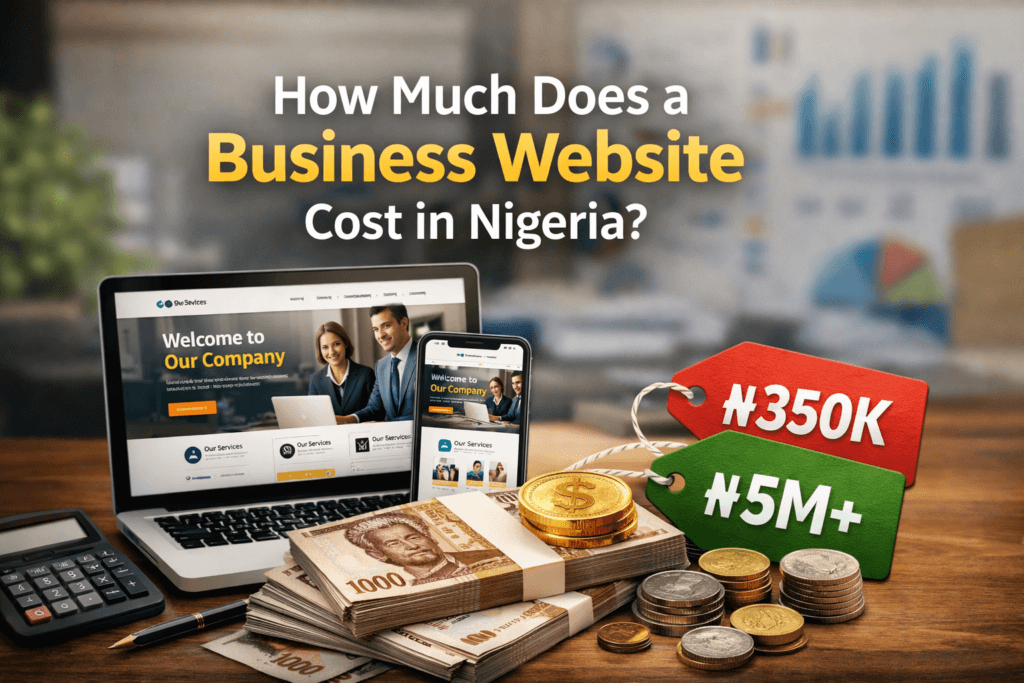
How Much Does a Business Website Cost in Nigeria?

How much does a business website cost in Nigeria? This is a question many business owners ask when looking to build a website and start getting real online results. Many business owners in Nigeria struggle to understand how much a website actually costs. Prices vary widely, and it can be confusing to know what you’re really paying for. In this article, we’ll break down what affects website pricing and what you should expect to pay. Based on our experience building websites for Nigerian businesses, here’s what most clients actually spend: The cost of building a website in Nigeria varies from one web designer to another. It also depends on several major factors: There are some major costs to consider when trying to build a website. These include: Domain name, Hosting/server, SSL security, content writing, domain privacy (optional) and more. The table below shows the breakdown of the cost of building a website in Nigeria: S/N Website Feature Cost 1 Domain Name .com/.net/.org ₦30,000 annually .ng ₦15,000 – ₦20,000 annually Backorder domains (Branded, premium domain names) ₦100,000 to ₦120,000 for first year 2 Web Hosting / Server Shared hosting ₦95,000 – ₦250,000 Cloud/Virtual Private Server (VPS) ₦540,000 – ₦2.5 million annually Dedicated Servers ₦2.5 million – 6.5 million annually 3 SSL Certificate SSL  ₦45,000 – ₦1.5 million  4 Templates WordPress/Shopify/Joomla Theme ₦100,000 – ₦400,000 5 Domain Privacy Annually ₦15,000 – ₦20,000 6 Web Developer’s Fee Up to 5 pages ₦100,000 – 400,000 More than 5 pages ₦400,000 – ₦700,000 Ecommerce websites (depending on number of products) ₦700,000 and above The cost of web hosting depends on the type of hosting you choose, and that choice depends largely on the size and purpose of your website. In our experience working with Nigerian SMEs, hosting can range from as low as ₦95,000 to as high as ₦6.5 million annually. We’ve heard many business owners say, “But we heard there are free hosting platforms online.” Our usual response is simple: free hosting is rarely a good idea for serious businesses and cheap websites often end up costing more in the long run. 3. SSL Certificate: An SSL certificate is a digital security file installed on a website server that enables encrypted, secure communication (HTTPS) between a user’s browser and the site. It protects sensitive data like passwords and credit cards from theft, establishes trust via a browser padlock icon, and improves SEO rankings. Without a trusted SSL certificate, Web browsers like Chrome will mark the site as “Not Secure,” causing visitors to leave. An SSL certificate costs about 45,000 to 1.5 million naira annually, depending on the type of SSL certificate you purchase and how secure you want your website to be. A very secure ssl certificate is usually required by websites that deal with sensitive information like credit card information, passwords, etc. 4. Domain Privacy: When you register a domain, ICANN (the governing body for domain names) requires that your name, address, email, and phone number be listed in a public directory called WHOIS. Registering a domain without privacy is like publishing your home address, cell phone number, and personal email in a newspaper listing that anyone in the world can search. Domain privacy hides your personal address and name, making it much harder for someone to impersonate you.  5. Web Developer’s Fee:  Fees range from one web developer to the other, depending on years of experience, skill level and expertise. Some web developers charge as low as 100,000 naira for a standard business website in Nigeria, while others may charge as much as 3 – 5 million naira. 6. WordPress/Joomla/Shopify Templates: WordPress, Joomla, and Shopify are versatile website-building platforms. A theme is a pre-designed layout that can be customized using plugins to achieve different functionalities, from a simple blog to a complex business website. Theme prices vary depending on the platform and level of functionality. In Nigeria, they typically range from ₦100,000 to ₦400,000. However, it is not compulsory to purchase a premium theme to build a professional website. We’ve seen businesses overspend on themes that were not necessary for their needs. Premium themes are often recommended because they are time-saving, functional, responsive, and cost-effective compared to fully custom design. That said, templates do have structural limitations. They work perfectly for most business websites, but if you require very unique or highly customized functionality, custom development may be needed later. Before hiring a web designer, make sure you: In conclusion, the cost of building a standard business website in Nigeria typically starts from around ₦350,000 and can go as high as ₦5 million or more, depending on your needs, features, and long-term goals. The most important thing is not just the price, but understanding what you are paying for. When you’re clear about the scope, functionality, and ongoing costs, you avoid unnecessary expenses and costly mistakes. If you’re planning to build a website for your business and need a clear, honest breakdown of how much does a business website cost in Nigeria and expectations, you can contact NimahBuilds for proper guidance.

How Much Does a Business Website Cost in Nigeria? Read More »

web development in Lagos

From Idea to Launch: My Website Development Process

A website can start with something as simple as: “I think my business needs a website.” Maybe you’ve been running your business through Instagram and WhatsApp. Maybe customers keep asking for your website and you don’t have one yet. Or perhaps you already have a website, but it looks outdated, loads slowly, or simply isn’t bringing you the results you expected. Whatever the reason, turning that initial idea into a website that actually works takes more than picking a WordPress theme and adding your logo. At NimahBuilds, our approach to web development in Lagos starts with understanding the business behind the website. Because before we ask, “What should the website look like?”, we ask a more important question: “What does this website need to accomplish?” That question influences everything that comes next. From the structure and design to the content, SEO, performance and final launch, here’s how we take a website from an idea to a finished digital platform. 1. We Start With the Business, Not the Website One of the easiest mistakes to make when starting a website project is jumping straight into design. You start thinking about colours. Then fonts. Then animations. Then you find a beautiful website online and decide you want yours to look exactly like it. But none of those things answer the most important question: What does your business actually need the website to do? At NimahBuilds, the first stage is understanding the business, its audience and its goals. We want to know: This discovery stage gives the project direction. A website for a law firm shouldn’t be approached in exactly the same way as an e-commerce store. A restaurant doesn’t need the same user journey as a consultant. A startup may need a completely different structure from an established company. The website should fit the business, not the other way around. 2. We Define the Website’s Structure Once we understand what the business needs, we start planning the website structure. Think of this as the blueprint. Before building a house, you need to know where the rooms, doors and important spaces are going. Websites work in much the same way. Depending on the project, a website might include: The goal isn’t to create as many pages as possible. The goal is to create the right pages. A well-structured website makes it easier for visitors to find information and easier for search engines to understand what the business offers. This is also where SEO starts becoming part of the project. Instead of building a website first and thinking about search engines months later, we consider things like page structure, search intent, headings, URLs and content from the beginning. 3. We Research What Your Customers Are Searching For A website shouldn’t only speak about your business. It should speak about what your customers are looking for. This is where keyword research becomes important. For example, if you’re searching for a web development company in Lagos, you might search for: These searches tell us something about what people want. Keyword research helps us identify the language potential customers use when looking for products and services. At NimahBuilds, our SEO approach focuses on keyword targeting that matches real customer searches, alongside useful content, proper page structure and technical optimisation. This means we’re not simply trying to make a website look good. We’re building it with visibility and discoverability in mind. 4. We Turn the Strategy Into a Design Now we can start talking about how the website should look. This is usually the part clients are most excited about, and understandably so. But good web design isn’t just about making something visually attractive. It’s about creating a visual experience that makes the website easier to understand and use. We consider things such as: For example, if the primary goal is to generate enquiries, the website shouldn’t make visitors hunt for the contact button. If the goal is online sales, the buying journey needs to be straightforward. If the goal is credibility, the website needs to communicate professionalism quickly. Design should support the goal of the website, not distract from it. 5. Then We Build the Website Once the structure and design are ready, development begins. At NimahBuilds, we specialise in WordPress website development because WordPress gives businesses the flexibility to manage their content, add functionality and grow their websites over time when it’s properly configured. Depending on the project, development may include: We don’t want the website to be just another collection of pages. The buttons need to work. The forms need to work. The navigation needs to make sense. The website needs to work properly on different devices. And if you’re selling online, the entire customer journey, from product selection to checkout, needs to be considered. 6. Mobile Comes With the Website A website isn’t finished simply because it looks good on a laptop. It also needs to work on a phone. And this is especially important for businesses targeting customers in Nigeria. People may discover your business through Google, Instagram, Facebook, WhatsApp or a shared link, and there’s a good chance they’ll visit your website from a mobile device. That’s why responsive development is an important part of our process. We check things such as: A mobile visitor shouldn’t feel like they’re looking at a broken version of your desktop website. The experience should feel intentional. 7. We Build With Speed in Mind A beautiful website that takes forever to load isn’t a great website. Speed matters because visitors don’t have unlimited patience. If someone clicks your website and waits… and waits… and waits, there’s a good chance they’ll leave before discovering what your business offers. That’s why performance is considered during development. Depending on the website, optimisation can involve: At NimahBuilds, fast-loading pages and optimised media are part of our website development approach. The goal is simple: Make the website feel fast, not just look fast. 8. SEO Isn’t an Afterthought Imagine spending weeks building an impressive website, launching it, and then realising

From Idea to Launch: My Website Development Process Read More »

web development in Lagos

The Power of Clean UI in Building Brand Trust

A clean website is more than something that looks good. It can influence how people perceive your business, how comfortable they feel using your website, and ultimately, whether they trust your brand enough to take the next step. Think about the last time you visited a website for the first time. Maybe you were looking for a service, checking out a business, or considering buying something online. Within a few seconds, you probably had a feeling about the brand. “This business looks professional.” Or perhaps: “Something about this website doesn’t feel right.” You may not have been able to explain exactly why you felt that way, but the design played a major role. That is the power of a clean user interface (UI). In today’s digital-first business environment, your website is often one of the first interactions a potential customer has with your brand. And when that first interaction is confusing, cluttered, outdated, or difficult to use, it can damage trust before you even get the opportunity to explain what your business does. For businesses investing in web development in Lagos, clean UI should therefore be treated as more than a design trend. It should be part of the strategy for building credibility, communicating professionalism, and creating an online experience that customers feel confident using. What Does “Clean UI” Actually Mean? Clean UI does not necessarily mean having a completely minimalist website with lots of empty space and almost no visual elements. Instead, clean UI means that every element on a website has a purpose. The navigation is easy to understand. The typography is readable. The colours work together. The buttons are obvious. The content is properly organised. Images are relevant and high-quality. There is enough whitespace to prevent the page from feeling crowded. Most importantly, visitors don’t have to work hard to figure out what to do next. A clean interface quietly guides users through the website without constantly demanding their attention. And that simplicity matters. When people can easily understand your website, they are more likely to feel that your business is organised, professional, and reliable. Why Does Website Design Affect Brand Trust? Trust is not built only through testimonials, reviews, certifications, or years of experience. It is also built through small signals. Your website’s design is one of those signals. Recent research into website credibility continues to show that design and layout are among the first things people notice when evaluating a website. Clutch’s 2025 research, for example, found that design and layout were the leading factor users noticed when visiting a website for the first time. That makes sense. Imagine walking into a physical business. The reception area is organised. The signs are clear. Everything looks clean and well maintained. The staff know what they are doing. You naturally feel more comfortable. Now imagine walking into another business where everything is disorganised, signs are confusing, information is difficult to find, and nothing looks properly maintained. Even if both businesses offer exactly the same service, you are probably going to trust the first one more. Your website works in much the same way. Good UI creates digital confidence. 7 Ways Clean UI Builds Brand Trust 1. It Creates a Strong First Impression Your website doesn’t get unlimited time to convince visitors that your business is credible. People make quick judgments when they land on a new website. A professional interface immediately communicates attention to detail. This doesn’t mean your website needs expensive animations or complicated effects. In fact, adding too many visual effects can have the opposite effect. A strong first impression can come from simple things: These details might seem small individually, but together they create the overall impression of your brand. 2. It Makes Your Business Look More Professional Your website is an extension of your brand. If your business claims to offer premium services but its website looks outdated, inconsistent, or poorly organised, there is a disconnect. Customers may start asking themselves: “If they don’t pay attention to their website, will they pay attention to my project?” Clean UI helps eliminate that doubt. A consistent visual system, including colours, fonts, buttons, spacing, imagery, and layouts, makes your business feel intentional. It tells visitors that you care about the details. And attention to detail is a powerful trust signal. 3. It Makes Information Easier to Understand One of the biggest mistakes businesses make is trying to put everything on one page. More information doesn’t automatically mean more value. Sometimes, it simply creates more confusion. A clean UI uses visual hierarchy to help visitors understand what matters first. For example, a service page might present information in this order: What you offer → Who it’s for → Benefits → How it works → Proof → Call to action Instead of throwing ten paragraphs, five buttons, three banners, and multiple unrelated sections at the visitor, the interface gives them a logical path to follow. This is particularly important for service businesses. If a potential client cannot quickly understand what you offer, who you serve, and how to contact you, your website is creating unnecessary friction. 4. It Reduces User Frustration A beautiful website that is difficult to use is still a bad website. Clean UI is closely connected to usability. Visitors should be able to answer basic questions without having to hunt around your website: Good UI makes those answers easy to find. For example, your contact button shouldn’t be hidden at the bottom of a long page. Your navigation shouldn’t contain twenty confusing menu items. Your forms shouldn’t ask for unnecessary information. Every unnecessary step creates friction. And friction can cost you customers. 5. It Makes Your Brand More Consistent Imagine seeing a company’s Instagram page with a sophisticated visual identity, then clicking through to a website that uses completely different colours, fonts, images, and messaging. It feels disconnected. Brand consistency helps people recognise and remember your business. Your website should feel like the same brand customers encounter on Instagram, Facebook, LinkedIn, Google, or anywhere

The Power of Clean UI in Building Brand Trust Read More »